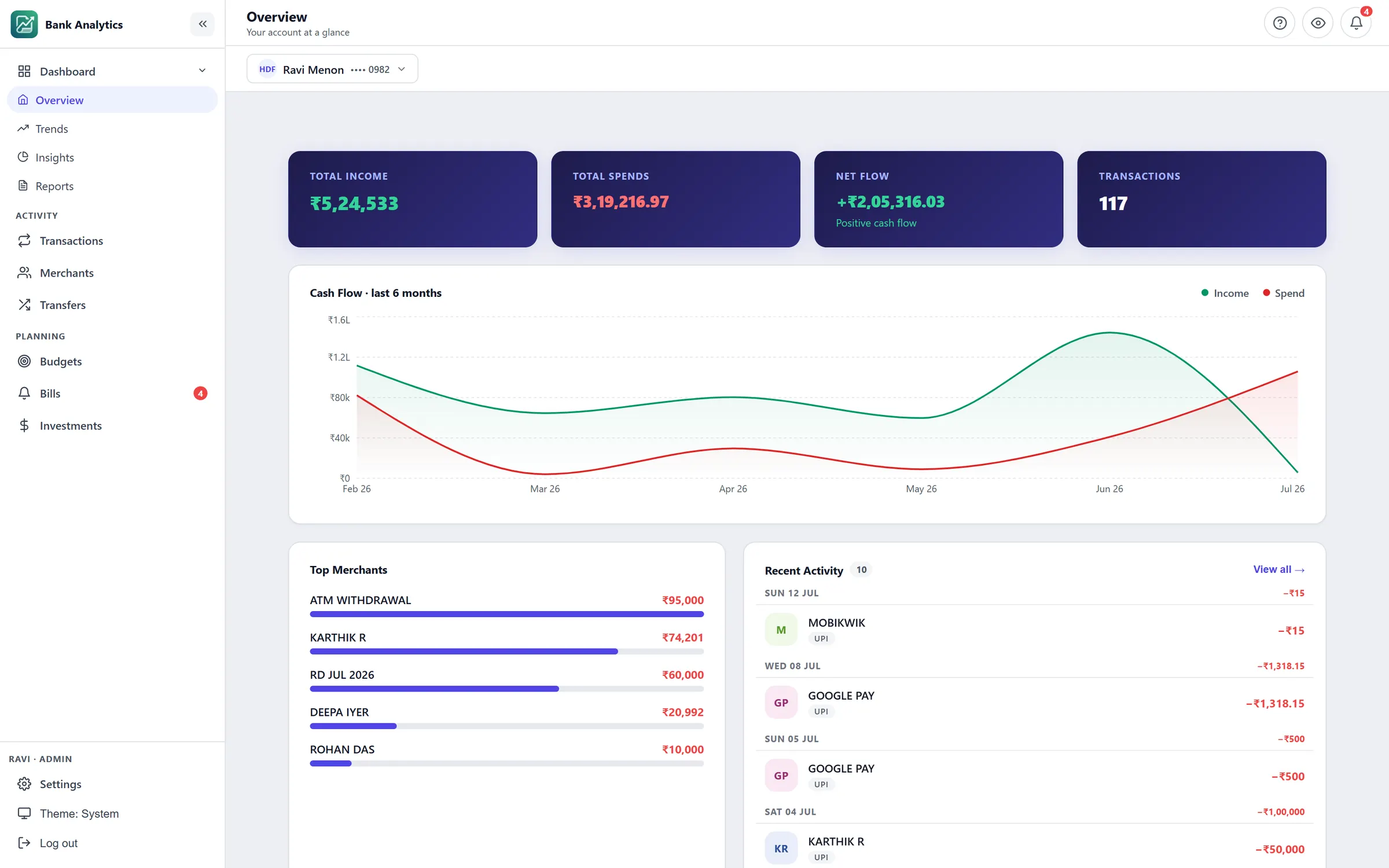
Bank Statement Analytics
Parses HDFC, HDFC Credit Card and IOB statement exports — .txt, .csv and .pdf — into a categorized transaction store, then serves trends, budgets, bills, investments and monthly reports on top of it.
I build self-hosted Windows desktop software — applications that install and run entirely on your own machine, with no account to create and no data leaving it.
Products
Each one installs and runs locally. No accounts, no subscriptions, no data leaving your PC.
Parses HDFC, HDFC Credit Card and IOB statement exports — .txt, .csv and .pdf — into a categorized transaction store, then serves trends, budgets, bills, investments and monthly reports on top of it.
Further products are being built in the same shape — self-hosted, single-install, Windows-first. This page is where they'll land.
How it works
No connecting accounts, no waiting for a sync. The whole loop runs on files you already have.
Download the statement your bank already offers — .txt, .csv or .pdf. No credentials are ever asked for.
Pick the account, drop the file. Duplicates are skipped, so overlapping ranges are safe. Or point it at a folder and forget about it.
Transactions are categorized by merchant on the way in. Trends, budgets, bills and monthly reports follow from there.
Where your data goes
Claims worth checking rather than taking on faith — every one of them is visible in the source.
You choose a username on first run and it is stored on your machine. There is no sign-up and no server holding it.
It never asks for net banking credentials and never talks to your bank. It reads files you already have.
The database and your statements sit in a folder beside the program. Unplug the network and it behaves identically.
The code is public. If you would rather not trust a downloaded binary, build it yourself.